
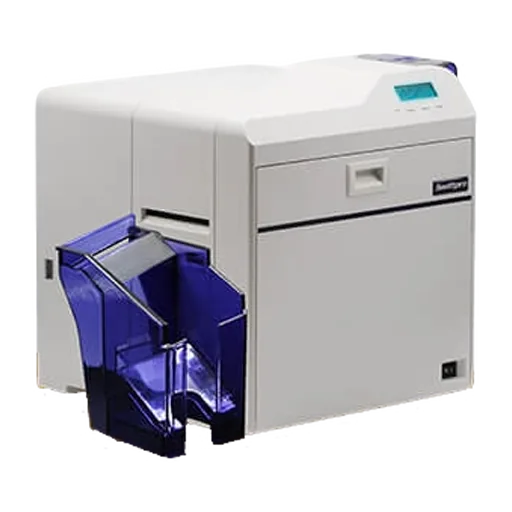
Retransfer or direct-to-card: which ID card printer do you need?
- Topic
- ID card printers and supplies
- Reading time
- 6 min
- Sources
- 4 checked
Short answer
Choose direct-to-card if you print plain PVC staff or visitor badges and want the lowest cost per card. Choose retransfer if you print on smart cards (MIFARE, proximity or chip cards), want colour right to the edge, or need cards that last for years. The Swiftpro and DNP printers we supply are retransfer; the DASCOM DC-2300 is direct-to-card.
Direct-to-card printing in plain words
A direct-to-card (DTC) printer heats a colour ribbon with a printhead, and the dye moves straight onto the card. A last clear panel on the ribbon, the overlay (the O in YMCKO), protects the print.
Because the printhead touches the card, the card must be very flat and smooth. Most direct-to-card printers leave a thin unprinted line around the edge. They are simple to use and cheaper to run, which is why they are popular for staff and visitor badges.
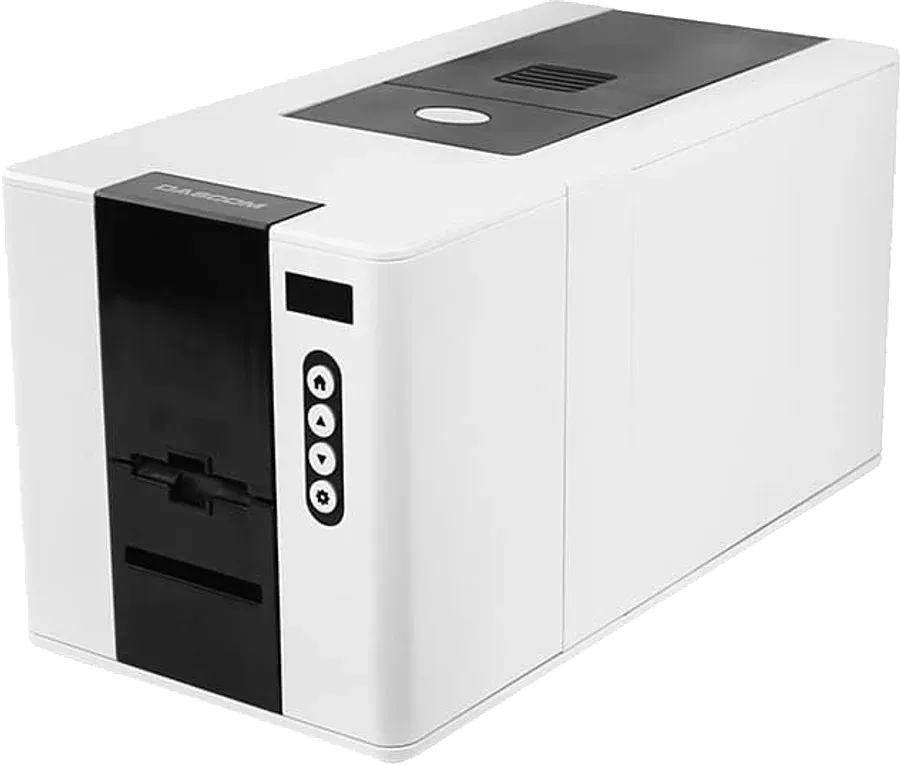
An example is the DASCOM DC-2300, a direct-to-card printer that DASCOM lists as printing edge to edge, at 180 colour cards an hour on one side.
Retransfer printing in plain words
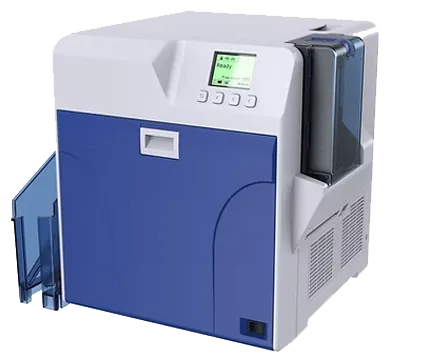
A retransfer printer works in two steps. First it prints the image, in reverse, onto a clear film. Then it uses heat and pressure to bond that film onto the card. The film covers the whole face of the card, so colour runs right to the edge.
The printhead only touches the film, never the card. DNP points out that this protects the printhead. It also means the card surface does not need to be perfectly flat, which matters for smart cards with a chip inside.
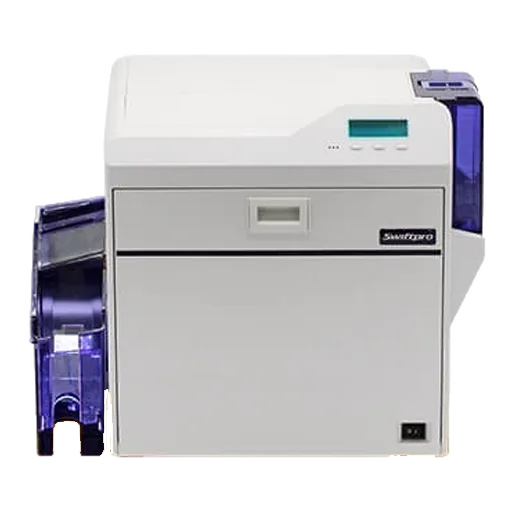
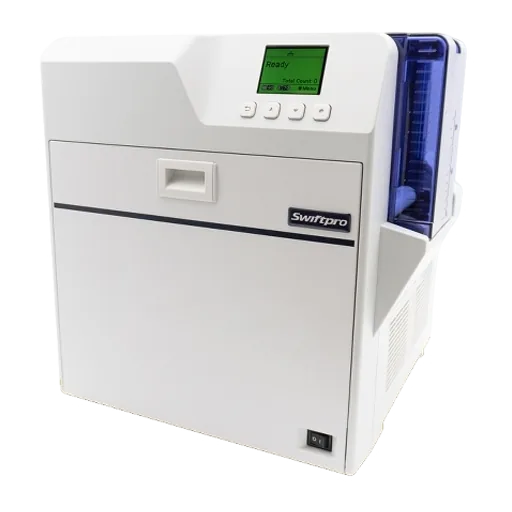
Every Swiftpro and DNP printer we list is a retransfer model, for example the Swiftpro K30, K30D and K65, and the DNP CX-D80DS and CX-D90HS.
Direct-to-card vs retransfer compared
Both methods print good photos and logos. The differences show up on smart cards, at the card edge and in running cost.
| Factor | Direct-to-card | Retransfer |
|---|---|---|
| How the image gets on | Printed straight onto the card | Printed onto film, then bonded to the card |
| Card edge | A thin unprinted border is common | Colour covers the card edge to edge |
| Smart, chip and proximity cards | Bumps over the chip can leave small white gaps | The film sits over the bumps, so the print stays even |
| Image quality | Good for photos, logos and text | Sharper and richer; 600 dpi models are available |
| Durability | The overlay panel protects the print | The film adds a tougher protective layer |
| What you keep buying | One ribbon (for example YMCKO) and blank cards | A ribbon, a roll of retransfer film and blank cards |
| Running cost per card | Lower | Higher |
| Printer price | Lower | Higher |
| Best for | Plain PVC staff, visitor and membership cards | Access cards, smart cards and long-life ID |
Which printers use which method
This table is taken from each maker's own product pages. dpi (dots per inch) is print sharpness: 300 dpi is sharp enough for photos and logos, while 600 dpi helps with very small text, fine lines and security patterns.
| Brand | Models | Print method | Notes |
|---|---|---|---|
| Swiftpro | K30, K30D | Retransfer | K30: one side, 300 dpi, up to 120 cards an hour in YMCK colour. K30D prints both sides. |
| Swiftpro | K65 | Retransfer | One or both sides at 600 dpi. |
| DNP | CX-D80SRS, CX-D80DS | Retransfer | 300 dpi. CX-D80SRS prints one side; CX-D80DS prints both. |
| DNP | CX-D80HS, CX-D90HS | Retransfer | 600 dpi. CX-D90HS prints one or both sides. |
| DASCOM | DC-2300 | Direct-to-card | 300 dpi, edge to edge. One side, or both sides with the optional duplexer. |
Printing on smart cards and access cards
Access cards such as MIFARE cards and proximity cards have a chip and an antenna inside. The surface can be slightly uneven over the chip. A direct-to-card printhead may skip the low spots and leave small white gaps. Retransfer film sits over the bumps, so the print looks even.
Many printers can also write data to the card while printing, using an optional encoder. Swiftpro lists contact and contactless smart card encoding for the K30, and magnetic stripe encoding for the K30D. If you need encoding, tell us the card type before you order the printer.
Thick clamshell proximity cards and key fobs cannot go through any card printer. Order thin, printable cards instead. Our MIFARE vs proximity cards guide explains which card to choose.
Running cost: what one card costs to print
The printer is a one-off cost. The ribbon, the film and the blank cards are what you keep paying for. Work out your cost per card like this:
- Direct-to-card: ribbon price divided by prints per ribbon, plus the price of one blank card.
- Retransfer: ribbon price divided by prints per ribbon, plus film price divided by prints per film roll, plus the price of one blank card.
Reading the yield on the box
The makers state how many prints each ribbon gives. DNP, for example, lists 1,000 images for its CY-P340A-DS YMCK ribbon set and 1,000 per roll for its CY-3RA-100 retransfer film, so for single-sided colour cards the two run out at about the same time. Our card printer ribbons guide explains the panel letters and yields.
Retransfer usually costs more per card than direct-to-card, but the card looks better and lasts longer. Tell us your printer model and how many cards you print a month, and we will work out the cost per card with today's prices.
Which one should you buy?
Start from the cards you print, not from the printer.
| If you need | Pick |
|---|---|
| Plain PVC staff or visitor badges, printed in small batches | Direct-to-card, for example the DASCOM DC-2300 |
| Photo ID on MIFARE, DESFire or proximity access cards | Retransfer, for example a Swiftpro K30 or a DNP CX-D80SRS |
| Colour on both sides of the card | A dual-sided retransfer printer: Swiftpro K30D or DNP CX-D80DS |
| Very small text, fine lines or security patterns | A 600 dpi retransfer printer: Swiftpro K65, DNP CX-D80HS or CX-D90HS |
| Cards that must last for years, such as university or government ID | Retransfer, with a laminator if needed: Swiftpro L10 or DNP CL-600S |
| Not sure | Send us the card you use now and how many you print a month. We will suggest a printer. |
Products in this guide
Add what you need to one quote list, then send it by WhatsApp or email. We reply with prices and stock.
Sources we checked
Product facts come from the makers' own pages. Rules come from official or legal sources.
- 1Swiftpro K30 card printerswiftpro-printer.com
- 2Swiftpro K65 card printerswiftpro-printer.com
- 3DNP CX-D80 and CX-D90 card printers and consumablesglobal.dnp
- 4DASCOM DC-2300 card printerdascom.com
Questions buyers ask
Short, plain answers. If yours is not here, ask us on WhatsApp.
Is a retransfer printer worth the extra cost?
Yes, if you print on smart or proximity cards, need colour to the edge, or want cards to last for years. For plain PVC badges printed in small numbers, a direct-to-card printer is usually enough and costs less per card.
Why do smart cards print better with retransfer?
The chip and antenna inside a smart card can leave the surface slightly uneven. A direct-to-card printhead can skip the low spots and leave white gaps. Retransfer prints onto film first and bonds the film over the whole card, so the bumps do not show.
Can a direct-to-card printer print to the edge of the card?
Usually not quite. Most direct-to-card printers leave a thin unprinted border. If you need colour right to the edge, choose a retransfer printer such as a Swiftpro or DNP model.
Which kind of card lasts longer?
Cards from a retransfer printer usually last longer, because the printed film adds a tough protective layer. A laminator adds more protection for cards used every day for years.
Do retransfer printers use a different ribbon?
Yes. They use a colour ribbon such as YMCK plus a separate roll of retransfer film. Direct-to-card printers use a ribbon with a clear overlay panel, such as YMCKO, and no film.
Read next
Send us your list. We reply with prices and availability.
Not sure which one fits? Send us a photo of the site, the door or the card you use now. We suggest the parts, then supply, install and support them across the UAE.
- Company
- LogIT Solutions LLC
- Office
- Dubai Silicon Oasis
- In business
- 13+ years
- Phone
- +971 50 889 5653
- Offices
- UAE · India · Kenya