
A door access control system in Dubai is more than a reader on the wall. Each door needs a set of parts that work together, and the choices you make on day one decide how secure, how reliable and how easy to manage the system will be. This guide explains what to buy, in plain language, so you can compare quotes with confidence.
What a door access control system does
The system decides who may open which door and at what time, and it keeps a record of every entry. Staff identify themselves with a face, a fingerprint, a card or a phone. The door unlocks only for people with permission, and managers can add or remove a person in seconds instead of changing locks.
The parts every controlled door needs
Many first-time buyers budget for the reader and forget the rest. Our biometric door access parts list covers the full set. In short, a typical door needs:
- A reader outside the door: face, fingerprint, card or mobile.
- A secure I/O module inside the room, so the lock cannot be opened by tampering with the reader outside.
- A lock and bracket matched to the door. EM locks come in 600 lb and 1200 lb versions, with L, U and ZL brackets for glass and wooden doors.
- An exit button: push, no-touch or break-glass. See the exit button options.
- Two power supplies, one for the reader and one for the lock, ideally with battery backup. Our power supply page explains why they should be separate.
- A door sensor, so the system knows when a door is held or forced open.
Choosing the reader: face, fingerprint, card or phone
| Method | Best for | Keep in mind |
|---|---|---|
| Face recognition | Busy entrances and hands-free entry | Choose a reader rated for the lighting at your door |
| Fingerprint | Small indoor teams on a tight budget | Less suited to dusty or wet hands |
| Card or key fob | Visitors, contractors and backup access | Cards can be lost or shared |
| Mobile credential | Staff who always carry a phone | Check that the reader supports it |
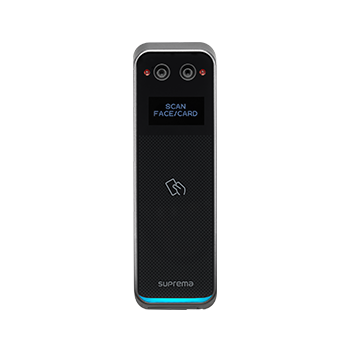
Most sites mix methods: face for staff, cards for contractors. LogIT supplies biometric readers from Suprema, HuAi, Virdi and HID Amico, and can set up mobile access where the phone becomes the key. For more on the hands-free trend, read our post on why companies are moving to contactless access control.
Pick the right card technology
If you use cards, the card type matters as much as the reader. Older 125 kHz proximity cards are simple to copy. For a new system, MIFARE DESFire EV2 or EV3 cards are much harder to clone. If you already have readers, match the cards they read. Our guide to MIFARE vs proximity cards explains the difference.
Questions to ask before you sign
- Does the quote include the lock, bracket, exit button, power supplies and cabling for every door?
- What happens during a power cut or a fire alarm? Doors on escape routes must release safely.
- Can the same system record attendance and control turnstiles later?
- Who installs and supports it locally, and how fast is the response?
- Where is the data stored, and who can see it?
Frequently asked questions
How many doors can one system manage?
From a single office door to many doors across several sites. The software is the same; you add readers and door hardware as you grow.
Can access control also record staff attendance?
Yes. The same readers can feed a time and attendance system, so one scan opens the door and records the clock-in.
Is face recognition better than cards?
For most offices, yes: nothing to carry, nothing to lose and nothing to lend to a colleague. Cards are still useful for visitors and as a backup.
Ready to plan your doors? See how LogIT installs door access control in Dubai, door to door.
Talk to LogIT Solutions
LogIT Solutions LLC has supplied, installed and supported these systems from Dubai Silicon Oasis since 2013. Tell us about your site and we will send one clear quote. Call or WhatsApp +971 50 889 5653, email sales@logitsolution.com, or use the contact page.